
Find the strokes you're throwing away.
Fairway Notes turns Claude, ChatGPT, Gemini or Grok into a coach who looks at your numbers before your swing. Paste your rounds and it finds where strokes go, then builds a practice plan you'll actually do, a game plan for your course, and straight answers on ball flight and the rules.
Get Fairway Notes Golf Coach for $5 Work out my index
$5 once · card, Apple Pay or Google Pay · download in a minute
Into more than one hobby? Get all 70 hobby skills for $19, this one included.
- One-time $5
- Instant email delivery
- 14-day refund
- Works in Claude, ChatGPT, Gemini and Grok
Round review: 5 rounds, 18.4 index
Average 93 · 4.2 three-putts · 6 penalty strokes a round
Practice: 2 hrs a weekHome course: par 72Goal: break 90
- 1Penalties: 6 strokes a roundDriver off tee on 5 tight holes. Hybrid there saves about 3Biggest fix
- 2Three-putts: 4.2 a roundMost from 30+ ft. Lag drill to a 3 ft circlePutting
- 3Up and down: 18%Chipping with 60° from fluffy lies. Try a bump with 8-ironShort game
- PlanWeek 1: 40 min lag putting, 30 min chippingLadder drills, scored so you see progressPractice
- CourseHoles 4, 9, 13: aim at the fat sideYour miss is right. Bunker left on 13 doesn't matterStrategy
A coach who looks at your numbers first
One skill, six jobs. Claude, ChatGPT, Gemini or Grok picks the right one from what you ask.

Where your strokes go
Paste scores, fairways, greens, putts and penalties. It ranks what's costing you the most, with simple strokes-gained thinking.
Practice plans you'll do
Weekly plans sized to your time, with scored drills so practice transfers to the course.
Course game plans
Hole-by-hole targets, clubs off the tee and where to miss, built around your shot pattern.
Ball flight, explained
Slice, hook, thin, fat, shanks. What the ball is telling you about face and path, and one fix to try.
Rules in plain words
Drops, penalty areas, lost balls and unplayable lies, answered with the rule number to check.
Gapping and handicap
Club gaps, course handicap, net scores and what your handicap index really means.
Ask it like you'd ask your playing partner who's a scratch
It reasons from ball flight and scoring stats, so the advice fits your game.
Most likely: the face is open to your path, and the driver shows it most (high confidence)
A slice means the clubface points right of the swing path at impact (for a right-hander). The driver has the least loft, so it shows sidespin the most. Irons with more loft hide the same pattern as a gentle fade.
Check these first
- Grip: can you see two to three knuckles on your left hand at address? A weak grip leaves the face open.
- Ball position: driver should be off your left heel. Too far back and you hit it on the way down, with more cut.
- Tee height: half the ball above the crown so you can sweep up.
One drill
Put a headcover just outside the ball and a foot behind it. Swing without hitting it. That trains a path from inside, so the face and path match.
Example answer from the full skill. Your answers depend on what you ask.
Honest about what helps
Golf tips are everywhere. Fairway Notes starts with what the numbers say.
- Stats before swing tipsMost mid handicappers lose more to penalties, three-putts and chips than to their swing. It checks first.
- One change at a timeIt gives one fix and a drill, not five swing thoughts that fight each other.
- Rules with the numberAnswers cite the Rule of Golf to check, and say when a local rule or committee decides.
- Not a medical opinionPain in your back or elbow is for a doctor or physio. It won't coach through it.
Up and running in two minutes
No app to learn and nothing to install on your computer. It lives inside Claude, ChatGPT, Gemini or Grok.
Buy once
Pay $5 by card, Apple Pay or Google Pay. Your download link arrives by email in about a minute.
Add it to Claude, ChatGPT, Gemini or Grok
Upload the ZIP under Skills in Claude, or the unzipped folder in Gemini. It takes about 30 seconds. In Grok, upload the ZIP, or paste the included paste-in file into a new skill. In ChatGPT, add the included paste-in file to a Project.
Just ask
"Why do I three-putt so much?" "Plan my practice for 2 hours a week." "Where do I drop from a penalty area?"
Pick your app for the exact clicks
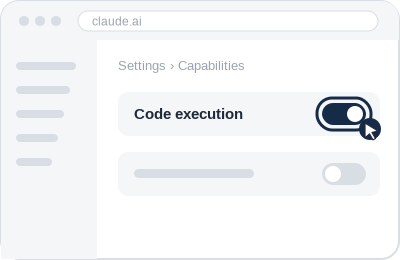
1In Settings, then Capabilities, turn on code execution.
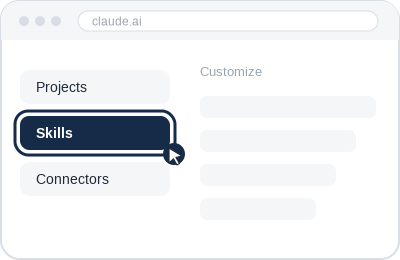
2Open Customize, then Skills.
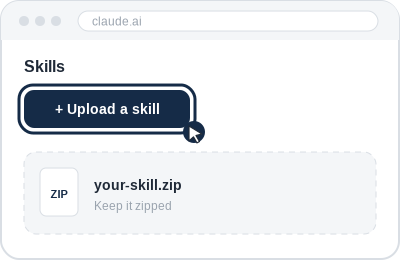
3Click +, choose Upload a skill, pick the ZIP. Keep it zipped.
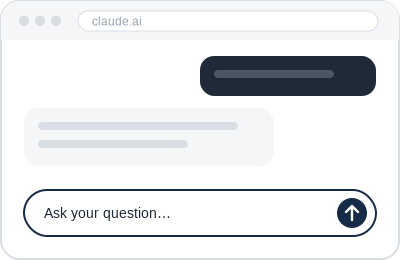
4Start a new chat and ask. Claude picks up the skill.
Works on every Claude plan, including the free one. Free plans have lower usage limits.
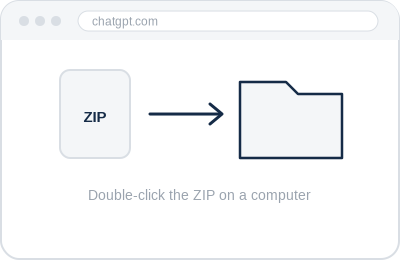
1On a computer, unzip the download and find ANY-AI-PASTE-VERSION.txt.
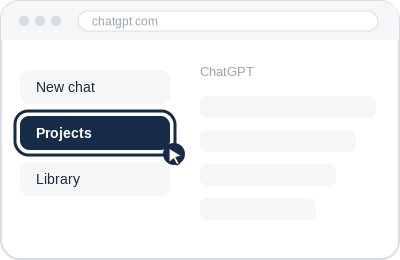
2In ChatGPT, open Projects and make a new project.
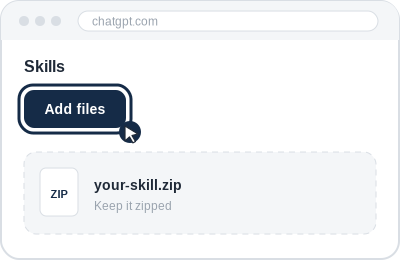
3Add the .txt file to the project. In its instructions, type: Follow the attached file.
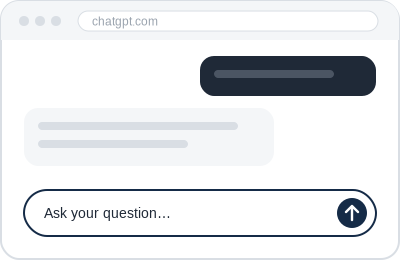
4Start a chat in that project and ask. On a Business, Enterprise or Edu plan, you can upload the ZIP under Skills instead.
Personal ChatGPT plans (Free, Plus, Pro) don't have a Skills page yet, so you use the paste-in version in a Project. On a Business, Enterprise or Edu plan, go to chatgpt.com/skills, choose Add, then Upload from your computer.
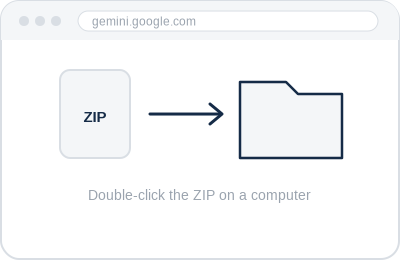
1On a computer, unzip the download. You get a folder.
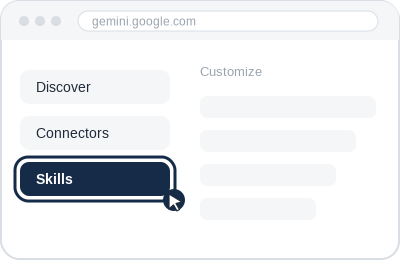
2At gemini.google.com, open Customize, then Skills.
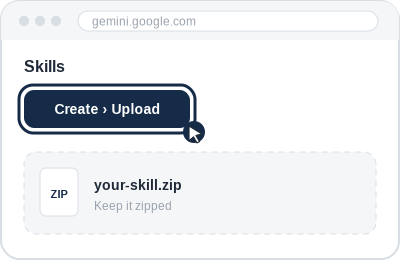
3Choose Create, then Upload, then folder. Pick the unzipped folder.
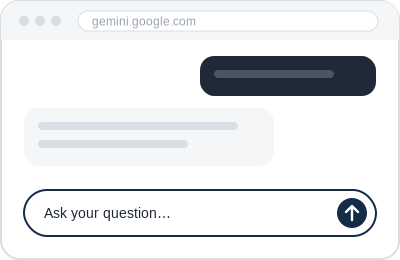
4Start a new chat and ask.
Gemini takes the unzipped folder, not the ZIP. Menus in Gemini change often, so names may differ slightly.
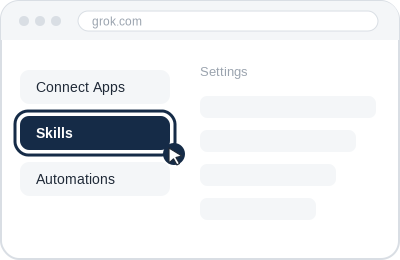
1At grok.com, open Settings, then Skills.
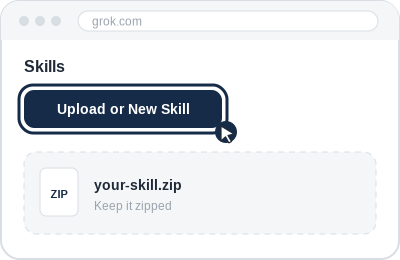
2If you see Upload, pick the ZIP. If you only see New Skill, use the next step.
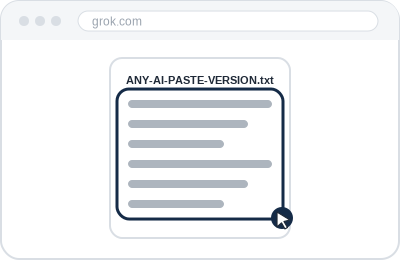
3New Skill: name it, then paste the text of ANY-AI-PASTE-VERSION.txt (below the line of equals signs) into Instructions.
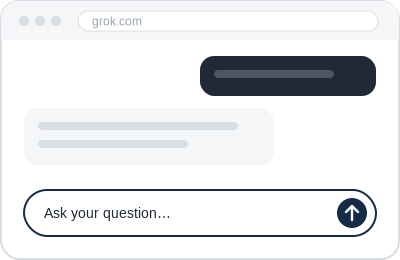
4Save it, start a new chat and ask.
Some Grok plans upload the ZIP; others show a New Skill form, where you paste the skill text in. Menus in Grok change often, so names may differ slightly.
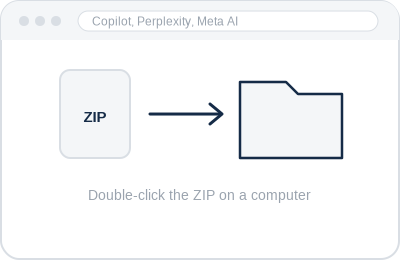
1No Skills page? Unzip the download on a computer.
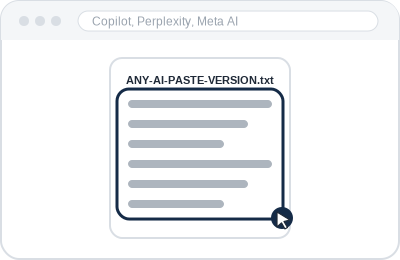
2Open ANY-AI-PASTE-VERSION.txt and copy everything.
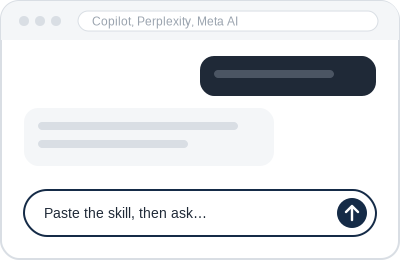
3Paste it into a new chat, then ask your question.
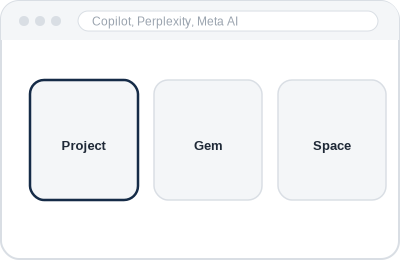
4To keep it on, add it to a ChatGPT Project, Gemini Gem or Perplexity Space.
Using Claude Code, Codex, Cursor or another coding agent? Unzip it into the skills folder, for example unzip fairway-notes-golf-coach.zip -d ~/.claude/skills/
On your phone? Go ahead and buy: the download link goes to your email and works for a year. Adding a skill is easiest from a computer, in a web browser or the desktop app, so open that email there when you're ready. Want to try it on your phone today? Open the ZIP, copy ANY-AI-PASTE-VERSION.txt into any chat app, and ask.
Start with the free Round Review
A small skill that reads your last few rounds and tells you the one area costing you the most strokes, with a drill to fix it.
- Reads scores, putts, fairways, greens and penalties
- Ranks your biggest leak
- One drill and a target for next round
Get Fairway Notes Golf Coach
Pay once, use it whenever you need it. Includes the free Round Review too.
How to add it
Upload the ZIP under Skills in Claude, or the unzipped folder in Gemini (in Grok, upload the ZIP or paste the paste-in file into a new skill; in ChatGPT, add it to a Project), then start a new chat and try: "Here are my last 5 rounds with putts, fairways, greens and penalties. Where am I losing the most strokes?"
See the clicks for your app. Every download also comes with a paste-in version for any other chat, and a Start Here PDF.
Step-by-step guides with pictures: Claude · ChatGPT · Gemini · Grok
Fairway Notes Golf Coach
Find your leaks, practice smart and play every hole with a plan.
$5 one time
- Round and stats analysis
- Weekly practice plans with scored drills
- Hole-by-hole course game plans
- Ball flight diagnosis and one-fix drills
- Rules answers with rule numbers
- Gapping, handicap and net score help
- Updates for a year
Card, Apple Pay or Google Pay through Stripe. Taxes calculated at checkout. 14-day refund.
Giving it as a gift? Buy it, forward the email, and print a gift card.
See a real answer from the full skill
You ask: I slice my driver badly but my irons are fine. Same swing thoughts. What's going on?
Most likely: the face is open to your path, and the driver shows it most (high confidence)
A slice means the clubface points right of the swing path at impact (for a right-hander). The driver has the least loft, so it shows sidespin the most. Irons with more loft hide the same pattern as a gentle fade.
Check these first
- Grip: can you see two to three knuckles on your left hand at address? A weak grip leaves the face open.
- Ball position: driver should be off your left heel. Too far back and you hit it on the way down, with more cut.
- Tee height: half the ball above the crown so you can sweep up.
One drill
Put a headcover just outside the ball and a foot behind it. Swing without hitting it. That trains a path from inside, so the face and path match.
Into more than one hobby? The Skill Pass gets you all 70 hobby skills, this one included, for $19.
New to AI skills?
Fairway Notes is a skill: a set of expert instructions you add to your own Claude, ChatGPT, Gemini or Grok account, so it answers like a golf coach who knows the craft.
- Using Gemini? Unzip it and upload the folder on its Skills page. Using Grok? Under Settings, Skills, upload the ZIP or paste the paste-in file into a new skill. Using ChatGPT? Add the included paste-in file to a Project.
- New to all of them? Claude is an AI assistant made by Anthropic. Make an account at claude.ai: skills work on every Claude plan, including the free one, with code execution turned on in Settings, Capabilities.
- Try the free Round Review skill first. If you like it, the full skill is one purchase.
Not ready for an AI app? The free golf handicap calculator on this site works in any browser, no account needed.
Free golf tools
No sign-up, they run in your browser.
Made by Nic Hubert, What If Labs
I run What If Labs from British Columbia, Canada. I build each skill with AI help and test it on real questions, and a separate reviewer checks it before it goes on sale. If it doesn't do what this page says, email me at hello@whatiflabs.ai and I'll fix it or refund you.
No reviews yet: this store is new. Tell me how it went and I'll use it to make the skill better.
Questions
Will it fix my swing?
It can't see you swing, but it reads ball flight better than most players do. Describe what the ball does, or the video your coach took, and it gives one likely cause and a drill. For a real swing rebuild, a lesson with a PGA professional is still worth it.
What stats should I track?
Score, putts, fairways hit, greens in regulation, penalty strokes and up-and-downs is plenty. It shows you a simple way to track them on the scorecard.
Does it calculate my handicap?
It explains and estimates your Handicap Index and course handicap from your scores, ratings and slopes. Your official index comes from your golf association's app.
Is it for beginners too?
Yes. Tell it your level. For new golfers it focuses on contact, simple targets, etiquette and enjoying the round.
What do I need to use it?
A Claude, ChatGPT, Gemini or Grok account. In Claude it works on any plan, including the free one, with code execution turned on (Settings, Capabilities). Free accounts have lower usage limits, so long planning sessions go further on a paid plan. It works in Claude on the web, the desktop app and Claude Code. In Gemini and Grok, upload it on the Skills page. In ChatGPT, personal plans (Free, Plus, Pro) don't have Skills yet, so you add the included paste-in file to a ChatGPT Project; Business, Enterprise and Edu plans can upload the ZIP under Skills. Coding agents that read SKILL.md files work too. Using Copilot, Perplexity, Meta AI or another chat with no Skills page? Every download includes a paste-in version (ANY-AI-PASTE-VERSION.txt) that works in any AI chat.
What if it doesn't work for me?
Email hello@whatiflabs.ai within 14 days of buying and we'll refund you in full. No forms, no questions.
How is this different from just asking an AI?
A general AI answer is often vague or skips steps. The skill gives your AI an expert's method: what to ask you first, the checklists and calculations to run, and the mistakes to warn you about. You get consistent, specific answers instead of a different guess each time.
Do I pay every month?
No. It's a one-time price, and updates to the skill are free.
Can I get a refund?
Yes. Every purchase comes with a 14-day refund, no questions asked. Reply to your receipt email and we'll take care of it.
What if it gets something wrong?
It shows its working, so you can check numbers and dates. Tell it what's off and it will correct itself. For anything where a mistake costs money or safety, double-check before you act, as you would with any advice.
Is my information private?
The skill runs inside your own Claude, ChatGPT, Gemini or Grok account, and we never see your chats. When you buy, Stripe handles the payment and we keep your email and order so we can send the download. The terms and privacy page has the details.